Windows Reinstallation
Complete every requirement below before reinstalling Windows. Skipping any step may cause the setup to fail or leave tracking traces.
If your CPU is AMD, for the best results you should follow the RAID Reinstallation guide instead of a standard Windows reinstall. RAID changes your disk serials.
Before Reinstalling#
For GIGABYTE motherboards only: If your motherboard model ends in AX or AC (e.g. B760 DS3H AC) and you use Ethernet, you must disable or remove the internal Wi-Fi card. Newer GIGABYTE/AORUS X-series boards allow disabling Wi-Fi directly in the BIOS.
Getting a Fresh Login#
For the most accurate isolation, always use a fresh Windows installation together with a fresh user account that has never been associated with your PC. Testing with an old banned account can produce misleading results.
Creating Installation Media
5 Clear Steps • Click checkmark as you complete
Download the official Windows Media Creation Tool (Windows 10 or Windows 11) from Microsoft.
Run the Media Creation Tool and select "Create installation media (USB flash drive)".
Select your USB drive (minimum 8GB) and wait for the tool to finish creating the bootable drive.
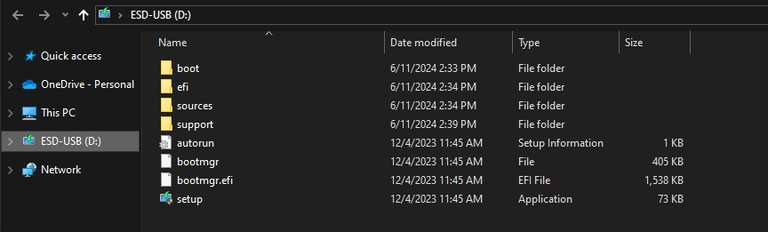
Download the automated autounattend.xml debloat file and place it directly into the root of your USB flash drive. This file debloats Windows, creates a clean local admin account, and disables BitLocker.
Go to your motherboard manufacturer website, download your LAN/Ethernet drivers and WLAN drivers, and copy the installers to your USB drive so you have internet immediately upon setup.
Booting and Partition Setup
5 Clear Steps • Click checkmark as you complete
Hold the SHIFT key while clicking Restart in Windows to enter Advanced Startup.
Select "Use a device" and choose your USB drive (or set USB as #1 in BIOS boot priority).
Click "Install Now" -> select language -> choose "Custom: Install Windows only (advanced)".
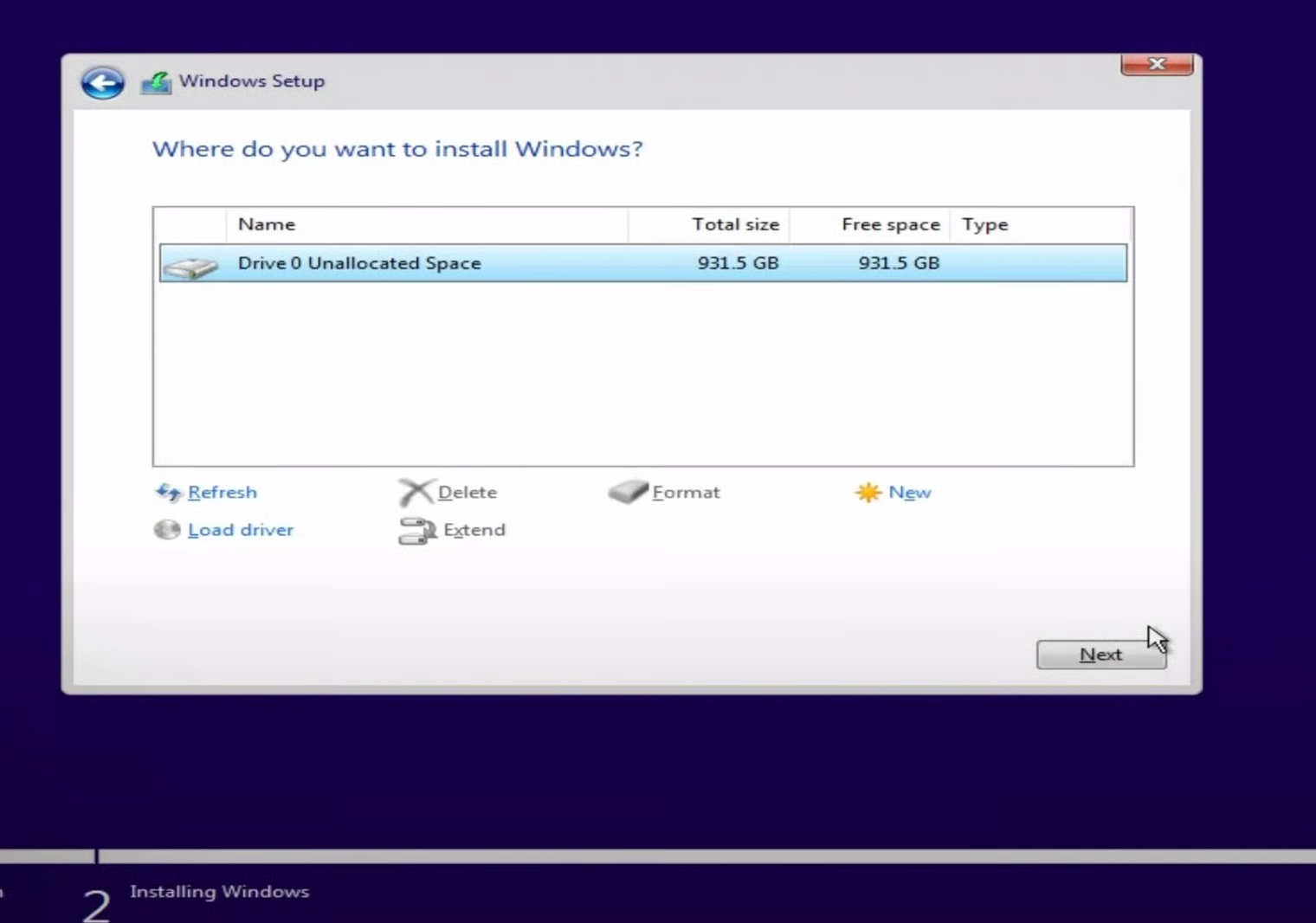
On the partition screen, delete every partition on your primary drive until it shows as Unallocated Space.
Click Next to begin the clean installation.